Industrial dehumidifier problems do not always start with a fault alarm. More often, maintenance starts falling behind. Filters are not checked on time. Coils stay dirty for too long. Drainage is not reviewed often enough. RH readings are accepted without checking whether they are accurate.
At first, the unit still runs. Later, performance becomes less stable, service calls become more frequent, and downtime becomes harder to avoid. A clear industrial dehumidifier maintenance checklist helps teams check the right parts at the right time before small issues turn into bigger problems.
Early Signs a Dehumidifier Needs Maintenance Attention
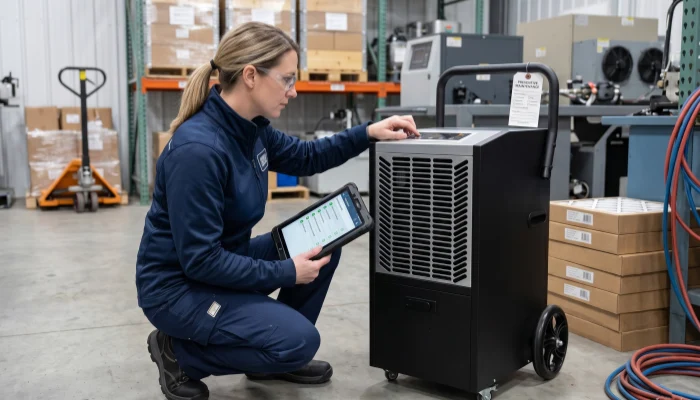
Most teams look for a maintenance checklist when the dehumidifier is still running, but room RH is getting harder to control.
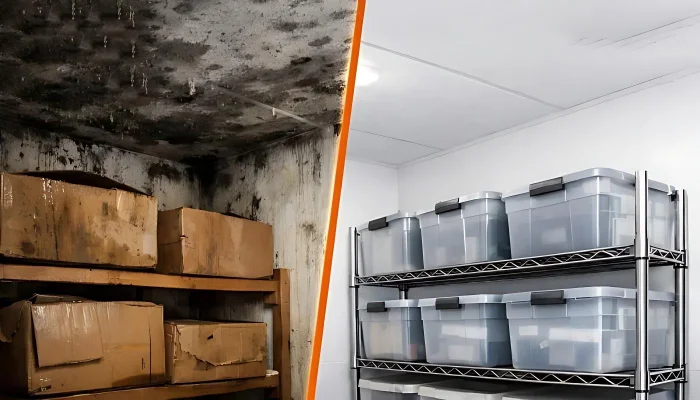
Drainage is less consistent. Frost appears more often. Runtime gets longer, but results are getting weaker. These are early warning signs. Moisture problems should not be treated as cosmetic issues. The U.S. EPA notes that moisture control is the key to mold control, and it also advises keeping indoor humidity below 60% relative humidity, ideally between 30% and 50%, because persistent dampness and condensation can signal a larger moisture problem. A good checklist helps teams catch them early and check the right parts before performance drops further.
| Operating change | What it often points to | What to check next |
|---|---|---|
| RH stays less stable through the day | Weak airflow, dirty coils, drifting controls, or a higher room load | Filter, coil surface, clearance, actual RH |
| Frost appears more often | Low-temperature operation, restricted airflow, or repeated icing conditions | Filter, room temperature, coil condition, airflow path |
| Drainage becomes less consistent | Drain blockage, pump issue, or reduced moisture removal | Drain pan, hose, pump, condensate pattern |
| Noise or vibration increases | Fan imbalance, loose hardware, or worn supports | Fan section, fasteners, vibration points |
| Runtime increases without better control | Maintenance lag, sensor drift, or a room/application mismatch | Independent RH check, airflow review, room conditions |
Why a Maintenance Schedule Works Better Than Reactive Cleaning
Airflow Problems Hurt Performance First
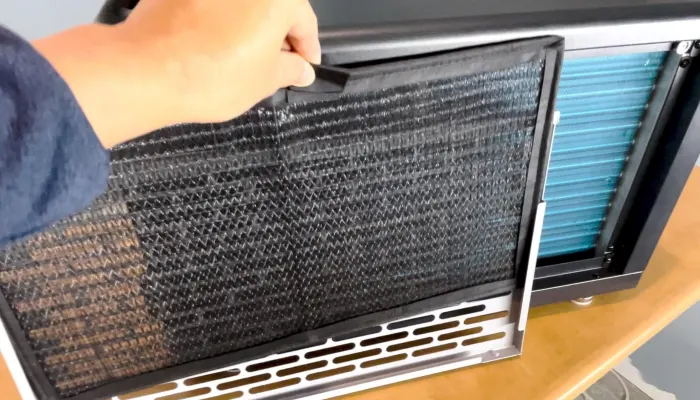
A dirty cabinet does not always mean weak performance. A loaded filter, a fouled coil, a blocked drain, or a drifting sensor often does. Once airflow drops or heat transfer gets worse, the unit can keep running while removing less moisture. The U.S. Department of Energy notes that dirty, clogged filters reduce airflow and system efficiency, and that restricted airflow allows dirt to accumulate on the evaporator coil, reducing heat-absorbing capacity and weakening overall performance.
Small Changes Are Easier to Fix Early
Industrial dehumidifiers usually decline in steps. Filters load up gradually. Drain paths collect residue. Coil surfaces foul over time. Sensors drift. Fan behavior changes. A checklist helps teams catch those changes before they become a service emergency.
Good Records Make Troubleshooting Clearer
When a site has filter dates, RH spot checks, drainage notes, and recurring symptom records, the next decision becomes clearer. Good records make it easier to tell whether the problem comes from missed maintenance, changing room conditions, or the equipment itself. Longer-term wear should still be judged separately, especially when reviewing expected service life.
The Parts That Should Always Be Checked
Air Filters
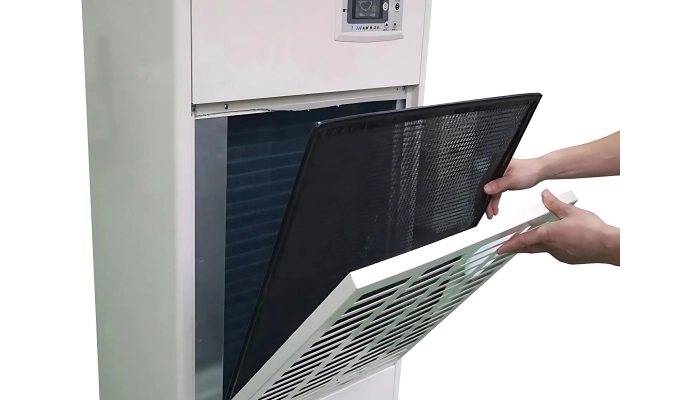
The filter is usually the first restriction point in the airflow path. When inspection intervals stretch too far, dust and debris begin to reduce airflow before the problem looks serious from the outside. That is why filter condition belongs near the top of any industrial dehumidifier maintenance checklist. Sites that keep losing airflow because of neglected filtration usually need a more consistent filter-cleaning routine.
Evaporator and Condenser Coils
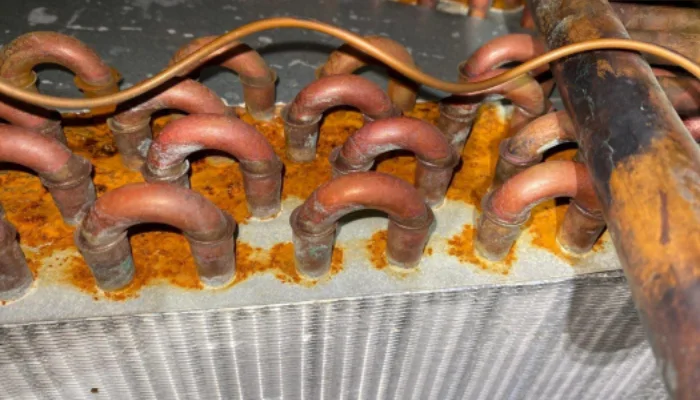
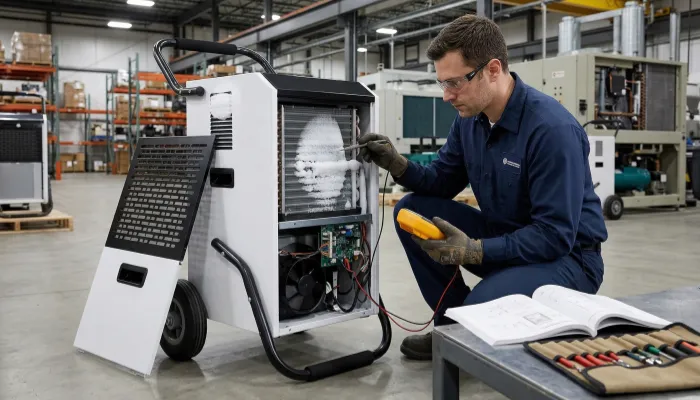
The coils do the moisture-removal work. Dust, lint, residue, corrosion, and surface fouling reduce heat transfer. In many facilities, weak humidity control starts here, especially when the filter gets attention but the deeper airflow path does not.
Drain Pan, Drain Line, and Pump
A blocked drain does more than create overflow. It can hide reduced moisture removal, poor condensate movement, hygiene issues, or pump trouble. Drain checks are most useful when they are tied back to actual room behavior.
Fan, Motor, and Vibration Points
Fan condition controls airflow across the whole machine. Dust-loaded blades, imbalance, worn supports, and loose hardware can all reduce airflow and increase vibration. Small vibration changes often show up before a larger mechanical complaint.
Controls and Humidity Sensors

A live display is not the same as an accurate reading. Humidity instruments need routine calibration and verification, especially in drying processes and RH-sensitive production. Vaisala notes that humidity instruments in most applications require regular calibration, especially in critical applications such as drying or manufacturing humidity-sensitive products where continuous accuracy and stability matter.
Cabinet, Seals, and Airflow Clearance
A healthy unit can still look weak when intake air is blocked, discharge air is recirculating, or airflow near doors, pallets, or nearby walls keeps changing.
Industrial Dehumidifier Maintenance Checklist by Interval
Daily Checks
Daily checks should be quick. They are there to catch change before deeper maintenance is needed.
| Task | What to look for | Why it matters | What to do if abnormal |
|---|---|---|---|
| Review alarms and operating status | Warning lights, unexpected mode changes, unusual setpoint behavior | Early changes often show here first | Record the code and confirm actual room conditions |
| Check room RH against target | RH not falling, unstable zones, longer recovery time | Confirms whether the unit is still controlling the space | Verify RH with an independent meter |
| Watch drainage behavior | No flow, overflow, erratic pump discharge | Helps catch blocked or weak drainage early | Inspect pan, hose, pump, and condensate pattern |
| Listen for sound changes | New rattle, scrape, hum, or fan imbalance | Mechanical issues usually worsen if ignored | Schedule inspection before continuous operation continues |
| Check intake and discharge clearance | Blocked air path, stacked goods too close, recirculation risk | Poor airflow changes performance quickly | Clear the area and recheck |
Weekly Checks
Weekly work usually deals with dirt, water-path issues, and early frost signs.
| Task | What to do | Why it matters |
|---|---|---|
| Clean or inspect the air filter | Wash, vacuum, or replace it as required by the unit design | Restores airflow and slows downstream fouling |
| Inspect the drain pan | Remove residue, slime, and standing water | Reduces overflow and hygiene risk |
| Check the drain hose or pipe | Look for bends, blockage, loose connections, or buildup | Keeps condensate moving reliably |
| Inspect exposed coil surfaces | Look for dust, lint, residue, light frost, or beginning ice | Catches early heat-transfer problems |
| Review the surrounding zone | Check door opening, loading activity, and nearby airflow disruption | Helps separate site-condition issues from machine issues |
If the room is dusty, weekly may not be enough. Filters often need shorter intervals in environments where dust builds quickly.
Monthly Checks
Monthly maintenance should confirm machine condition, not just visible cleanliness.
| Task | What to do | Why it matters |
|---|---|---|
| Inspect and clean coils more thoroughly | Use a coil-safe cleaning method matched to the unit | Dirty coils reduce heat transfer and stability |
| Check fan blades and rotation | Look for buildup, wobble, and noise changes | Protects airflow and reduces mechanical stress |
| Test the drain pump if fitted | Confirm activation and discharge | Prevents hidden drainage failure |
| Compare displayed RH to an independent meter | Spot-check actual room RH against the controller reading | Catches sensor drift or poor sensor placement |
| Review control settings | Confirm RH target, timers, and mode logic | Prevents control-setting mistakes from looking like maintenance failures |
This is the right point to treat the RH reading as a maintenance item. Vaisala recommends regular humidity calibration where measurement stability affects process results.
Quarterly Checks
Quarterly checks should look at the unit as a working industrial asset.
| Task | What to inspect | Why it matters |
|---|---|---|
| Electrical terminals and visible wiring | Looseness, oxidation, heat marks | Helps reduce unstable or unsafe operation |
| Mounting points and anti-vibration elements | Wear, cracking, movement, compression | Prevents small support issues from becoming larger vibration problems |
| Accessible refrigerant-line exterior | Oil traces or unusual visible condition | May reveal a deeper sealed-system issue |
| Higher-stage filters if fitted | HEPA, carbon, or other deeper filtration stages | Hidden filtration neglect can affect airflow and control |
| Cabinet seals and access panels | Gaps, corrosion, poor closure, aging | Supports airflow control and environment resistance |
Semi-Annual or Annual Checks
Some tasks belong with qualified technicians, not general site staff.
| Task | Recommended level | Why it belongs here |
|---|---|---|
| Full coil cleaning | Trained maintenance or service | Restores heat exchange more effectively than light cleaning |
| Refrigeration-system condition check | Qualified technician | Sealed-system health should not be guessed |
| Compressor operating review | Qualified technician | Helps catch deeper decline |
| Electrical safety inspection | Qualified technician | Supports safe long-run operation |
| Sensor calibration or formal verification | Qualified technician or controlled in-house method | Improves accuracy and consistency |
| Full performance review | Maintenance plus operations | Confirms actual site behavior against expected results |
How Maintenance Priorities Change by Environment
A maintenance checklist should not be copied from one room to another without adjustment.
Different environments change both what needs closer attention and how often it needs to be checked. Dust, corrosion, low temperature, hygiene requirements, and continuous moisture load can all make some problems show up faster than others.
High-Dust Sites
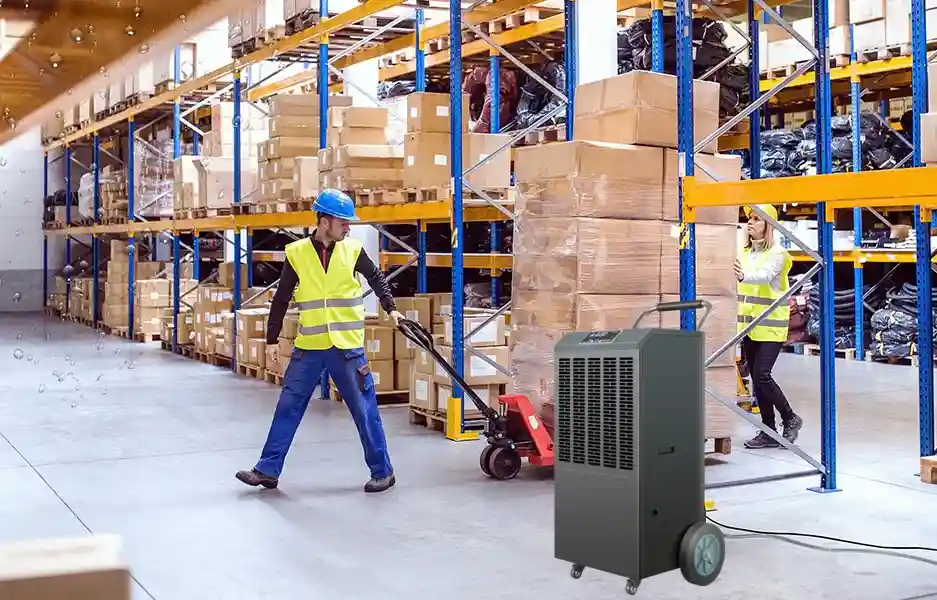
In dusty environments, filters usually load faster and coils foul sooner than the calendar suggests.
That means filter checks often need to happen more often, and coil condition usually needs to be reviewed earlier. Air-path clearance also matters more because dust, cartons, pallets, or rack layout can interfere with airflow around the unit. In some facilities, repeated problems in storage areas and traffic zones are not caused by maintenance alone. They also reflect wider warehouse humidity control conditions.
Corrosive Sites
In corrosive environments, maintenance needs to pay closer attention to cabinet edges, fasteners, surface protection, and electrical terminations.
The checklist does not become more complicated. It becomes more sensitive to early signs of rust, coating damage, and connection deterioration. In chlorinated environments, early rust, surface damage, and repeated condensation often point to a broader indoor pool humidity problem, not just weak maintenance.
Low-Temperature Sites

In lower-temperature rooms, airflow restriction and repeated icing become more important maintenance signals.
That means filter condition, coil condition, and repeated frost patterns usually need earlier attention. In some cases, the issue is not only maintenance frequency. It may also mean the operating condition is pushing the equipment too close to its practical limit. In cold rooms, repeated icing often points to both maintenance issues and wider cold-storage infiltration and application-fit problems.
Hygiene-Critical Sites
In hygiene-sensitive environments, drain pans, drain lines, and standing-water areas need closer attention.
The main difference here is not in heavier mechanical upkeep. It is stricter cleanliness, more reliable drainage, and documented RH verification. When condensation and slow dry-down keep coming back, routine maintenance may no longer be the whole problem. The room may already be dealing with broader food-processing moisture risks. In food environments, condensation is more than a comfort issue. FSIS guidance explains that condensation must be controlled when it creates insanitary conditions or drips onto exposed product or packaging.
Continuous High-Load Sites
In continuous high-load environments, small maintenance delays tend to affect room control more quickly.
Filters, drainage checks, and RH verification often need shorter intervals because the equipment spends less time in a lightly loaded state. In these rooms, performance may look acceptable for a while, then drop faster once filter loading, drainage delay, or sensor drift crosses a certain point.
| Environment | What usually changes first | What the checklist should emphasize |
|---|---|---|
| Dusty warehouse or workshop | Filter loading, dirty coils, blocked airflow | More frequent filter checks and air-path review |
| Indoor pool or corrosive site | Corrosion on cabinet, fasteners, and terminals | Surface condition and electrical inspection |
| Cold room or transition zone | Frost, airflow restriction, unstable performance | Coil cleanliness, airflow path, temperature fit |
| Food or hygiene-sensitive area | Dirty drainage path, condensation risk, record gaps | Drain sanitation, RH verification, documented checks |
| Continuous high-load grow room | Long runtime, sensor drift, cumulative fouling | Shorter intervals and closer trend tracking |
Note: Maintenance priorities also vary by dehumidifier type
Refrigerant and desiccant dehumidifiers do not need exactly the same maintenance focus. Refrigerant systems usually need closer attention to airflow, coil cleanliness, drainage, and repeated icing risk. Desiccant systems usually need more attention on the rotor, seals, drive system, and regeneration section.
That does not change the value of a checklist. It simply means the checklist should match the unit design as well as the room conditions.
Common Maintenance Mistakes That Lead to Bigger Problems
Cleaning the Filter and Ignoring the Coil
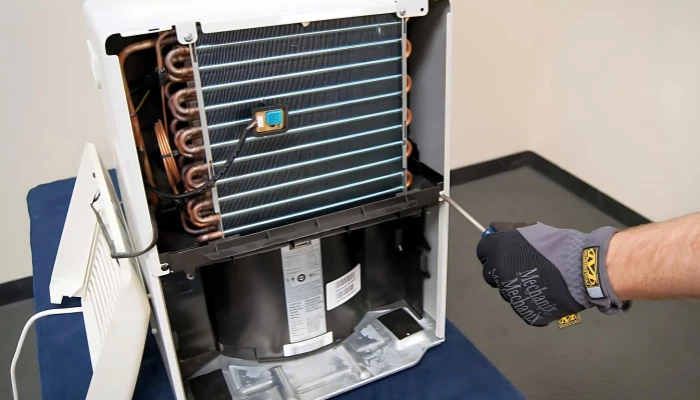
Because the filter is easy to see and the coil is not, teams often clean one and miss the other. That leaves heat-transfer problems in place even after routine maintenance looks complete. A filter check helps, but it does not confirm that the deeper airflow path is still clean.
Reading Surface Symptoms Too Narrowly
It is easy to treat one visible change as one isolated problem. In practice, weaker drainage is not always only a drain issue. Early icing is not just a surface problem either. Both can point to reduced airflow, dirty coils, unstable operating conditions, or a room that is pushing the unit harder than before.
When the machine is not collecting water, the checklist should treat drainage as part of a wider performance review. When icing keeps returning, the unit may already be freezing up rather than showing a harmless one-time change.
Using the Wrong Cleaning Method on Coils and Fins
Aggressive brushing and high-pressure cleaning can create secondary damage. The U.S. Department of Energy notes that coil fins are thin aluminum pieces that can bend and block airflow, which is why aggressive brushing or high-pressure cleaning can create secondary damage instead of improving performance. Cleaning should restore performance, not damage the air path.
Relying on Assumptions Instead of Verification
A displayed RH value is not always an accurate RH value. That is why spot checks, calibration, and basic recordkeeping matter. Without verification, teams can mistake sensor drift for weak machine performance. Without records, the same issue keeps returning as if it were new.
Good maintenance depends on checking, confirming, and writing things down before small changes turn into repeated guesswork.
Signs Your Maintenance Schedule Is Too Loose
These are not just warning signs. They usually mean the current maintenance interval no longer matches the room, the load, or the way the unit is being used.
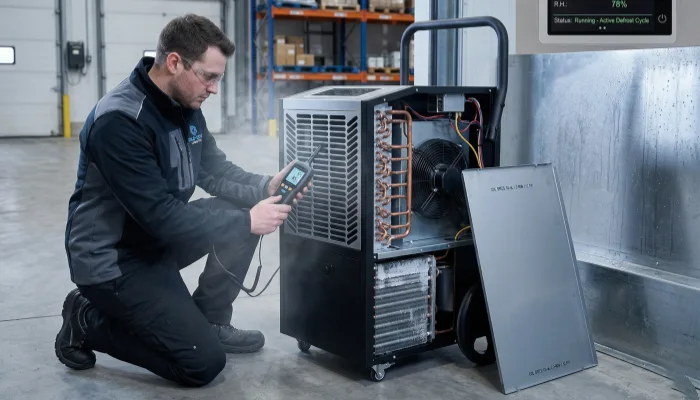
The Dehumidifier Runs, but RH Stays High
When the unit keeps running but room RH is still harder to hold, the schedule may no longer fit the conditions on site. That usually points to a higher moisture load, weaker airflow, intervals that are too wide, or a mismatch between the room and the unit.
Moisture Removal Looks Less Stable
Drainage changes and repeated frost usually mean moisture removal is becoming less stable. Less water does not always mean less humidity. It can also mean the unit is condensing less effectively. Repeated frost can point to a colder operating zone, dirt buildup, reduced airflow, or a deeper control problem. In both cases, the maintenance interval may now be too wide for the room.
Recurring Changes Keep Coming Back
Some warnings do not show up as one large failure. They keep returning in smaller ways. Noise builds slowly. Vibration increases over time. Odor becomes more noticeable. The same unit keeps returning to the maintenance list. When the same changes keep coming back, the problem is often no longer routine upkeep alone. It usually means the schedule needs to be tightened or the room conditions need to be reviewed more closely.
How to Turn the Checklist Into a Real Maintenance Schedule
A checklist only works when it matches the room, the equipment, and the people responsible for using it.
The goal is not to create more paperwork. The goal is to make sure the right checks happen at the right interval, and that repeated changes are not ignored.
- Group units by room condition and runtime
A machine in a clean storage area and a machine near a loading door do not need the same interval. Units running longer hours or working in harsher conditions usually need closer attention. - Assign tasks by role
Daily observation can stay with operators or shift staff. Electrical checks, refrigeration-side work, and formal verification should stay with qualified personnel. A checklist becomes easier to follow when responsibilities are clear. - Keep a simple maintenance log
The record does not need to be complicated. It just needs to show what was checked, when it was checked, and what changed.
| Field | Why it matters |
|---|---|
| Unit ID, model, location | Identifies the machine clearly |
| Date and person | Creates accountability |
| Task performed | Confirms what was actually checked |
| RH, temperature, runtime note | Adds operating context |
| Abnormal findings | Captures trends |
| Corrective action and next step | Prevents repeated guesswork |
- Tighten the interval when repeated changes keep appearing
If one room loads filters faster, keeps showing frost, or loses RH control sooner than expected, the interval should change. The schedule should follow real operating conditions, not just the calendar.
FAQ
Can I use a high-pressure washer to clean the coils?
No. High-pressure washing can bend delicate coil fins, block airflow, and reduce heat-transfer efficiency. Use a soft brush, vacuum, or moderate airflow instead, and leave heavily fouled coils to qualified service.
The machine won’t run even though it’s plugged in. What should I check first?
Start with the basics: check the power supply, circuit breaker, plug, and whether the bucket is full or not seated correctly. Then check the humidistat setting and control panel before assuming a deeper electrical fault.
What temperature is too low for a dehumidifier?
Most standard refrigerant dehumidifiers do not work efficiently below about 60°F. If the room is colder than that, you may see weak moisture removal or frost on the coils.
Is it OK to have it on continuously?
It can be, especially if the unit uses a humidistat and cycles only when moisture needs to be removed. Continuous operation is more practical with proper drainage, good airflow, and the right installation.
What should I set my dehumidifier to?
A common target range is 30% to 50% RH, and many users start around 45% to 50%. Keep the space below 60% RH, then adjust based on condensation, comfort, and how the room actually behaves.