When an industrial dehumidifier is running but not collecting water, the first assumption is usually that the unit has failed. That is not always the right conclusion.
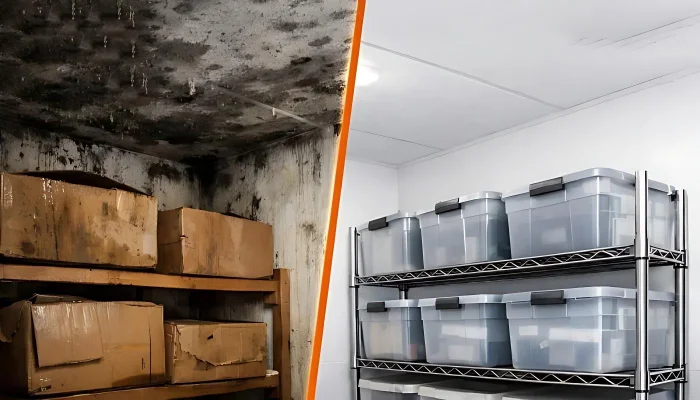
In industrial and commercial environments, this issue is worth taking seriously because weak humidity control can show up as damp packaging, condensation on surfaces, unstable storage conditions, and mold risk if moisture is allowed to remain in the space. The EPA’s guidance on mold and moisture notes that visible condensation and persistent dampness are signs that moisture control needs attention.
The most practical way to handle it is to check the conditions around the unit first, then move step by step into the machine itself.
First, Identify Which Symptom You Actually Have
Before looking for faults, make sure the symptom is being read correctly.
Know When This Is Not a Repair Issue
If the unit is running but no water is coming out at all, start by checking room conditions, the drain path, and whether the cooling side is actually working.
Some Water, but No Real Humidity Drop, Is Another
If the unit is still draining some water but the room humidity is not coming down, the issue may be airflow, moisture load, or installed capacity rather than a full shutdown.
A Unit Can Look “On” Without Really Removing Moisture
The fan may still be running while the compressor is not. The display may stay on while the unit is not actively dehumidifying. In larger projects, external controls can also make a machine look normal even when it is not being asked to remove moisture.
What to check first
- Confirm whether there is truly no drainage or just less drainage than before
- Check the current RH with an independent hygrometer
- Compare actual room humidity with the target set point
- Confirm whether the compressor is actually engaging, not just the fan
If the symptom is still unclear after this first check, go back to the unit’s target RH, airflow path, and drainage setup before moving deeper into fault diagnosis.
Rule Out Room Conditions Before Suspecting a Machine Fault
Low RH, low temperature, and changing room load are often ruled out before any internal fault is confirmed.
The room may already be drier than expected
If RH has already dropped closer to target, the unit may produce much less visible water than before. It may simply mean there is less moisture left to remove.
In industrial spaces, this should not be judged by the unit display alone. Check with an independent hygrometer in more than one location.
How to recognize it
- RH readings in the space are already close to the target set point
- The area near the unit feels drier than the rest of the room
- Water output is lower than before, but room humidity is not actually rising

How to fix it
- If the whole room is already close to target RH, lower water output may be normal and no repair action is needed
- If the area near the unit is much drier than the rest of the room, improve air circulation so the unit is drying the room rather than only the air around itself
- If the display RH is clearly different from an independent hygrometer, check whether the sensor location is affected by drafts, local airflow, or nearby cold surfaces
- If one part of the room stays damp while another part is already dry, treat the issue as an air distribution problem rather than a machine failure
Bring in technical support if
- The display RH is still far from an independent hygrometer reading after repeated checks
- The area near the unit is already dry, but other parts of the room still stay damp
- room humidity behaves very differently from one zone to another and the sensor location may not represent the real problem area
Low Temperature Can Reduce Drainage and Trigger Coil Icing
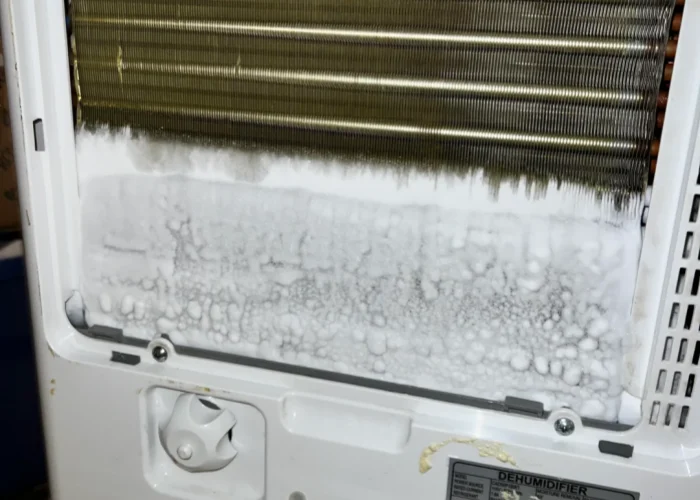
Refrigeration-based dehumidifiers become less effective as temperature drops. If the coil gets cold enough, moisture can freeze on the surface instead of draining away as liquid water. ASHRAE’s humidity-control guidance explains that dehumidification by cooling is limited by coil surface temperature and freezing risk, and that if condensate freezes on the coil, airflow is restricted and performance falls.
This is common in colder storage rooms, loading zones, and unheated spaces, where recurring drainage complaints often appear together with condensation, frost, or icing patterns. In those environments, the same symptom often sits inside a wider cold storage humidity control problem rather than a one-time machine fault.
How to recognize it
- Water output drops sharply when room temperature is low
- Frost or ice appears on the coil
- The same complaint returns in colder parts of the day or in colder parts of the site
How to fix it
- Check room temperature, not just humidity
- Inspect the coil for frost or ice
- Clean the filter and restore airflow before treating icing as a refrigeration failure
- If the application is regularly cold, review whether the current unit type is suitable for that environment
Bring in technical support if
- The coil keeps icing after the filter has been cleaned and airflow has been restored
- The room stays cold enough to create repeated frost or icing, even after basic on-site checks
- Water output remains very low after temperature, airflow, and drainage have already been checked
The Moisture Load in the Room May Have Changed
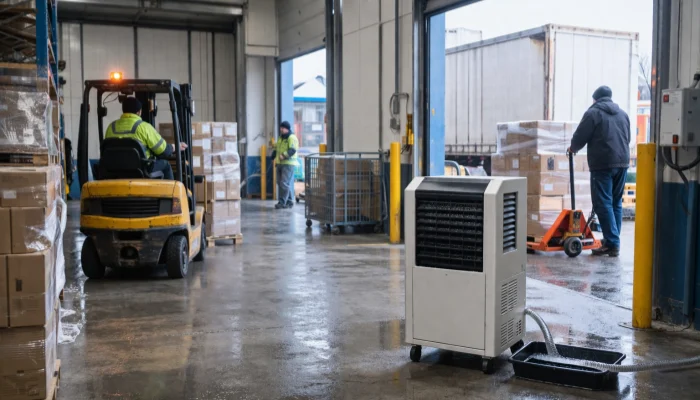
If doors are opening more often, outside air is entering more frequently, products are wetter, or the process is releasing more moisture than before, the unit may no longer be working against the same load it was installed for. ASHRAE’s industrial dehumidification guidance identifies infiltration, openings, outdoor air, and process moisture as common sources of humidity load in commercial and industrial spaces.
How to recognize it
- The unit still runs, but room humidity stays high for long periods
- The problem started after a change in traffic, process, storage pattern, or ventilation
- Some water is still draining, but overall humidity control is weaker than before
How to fix it
- Review whether traffic, door opening, or outside-air entry has increased
- Check whether products, materials, or the process are introducing more moisture
- Compare current room conditions with the original project assumptions
- Treat this as a load question, not only a fault question
- If the space now has a higher load than before, check whether the installed unit still matches the actual room load and operating conditions.
Bring in technical support if
- The unit keeps running for long periods, but the room humidity still does not come down
- The space now has more outside-air entry, wetter products, or stronger process moisture than before
- The current operating conditions are clearly different from the original installation conditions and the unit no longer seems matched to the room
Check the Most Common On-Site Causes Next: Airflow, Heat Exchange, and Drainage
Airflow restriction, fouled heat-exchange surfaces, and blocked drainage are among the most common on-site causes checked before any sealed-system fault is confirmed.
Dirty Filters and Coils Can Reduce Water Removal Fast
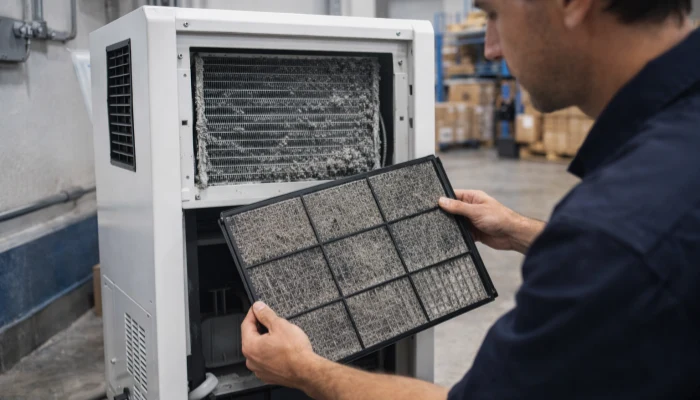
If moist air cannot move across the evaporator properly, moisture removal drops. Dirty filters and fouled heat-exchange surfaces can reduce effective airflow long before the unit looks obviously damaged.
How to recognize it
- The unit runs, but the output gradually gets weaker
- Filters look dirty or loaded
- The coil surface looks blocked, dusty, or coated
How to fix it
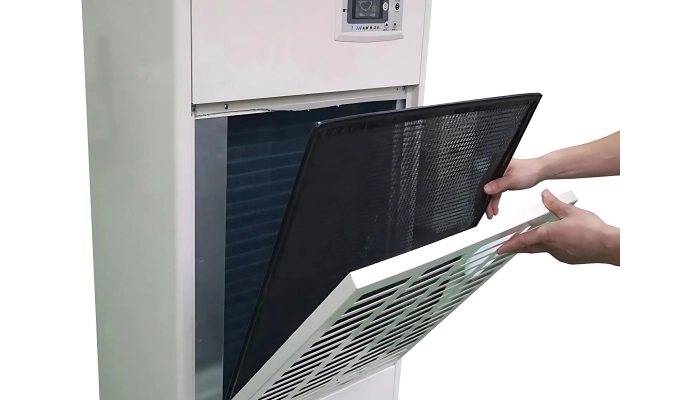
- Inspect the filter and clean or replace it if needed
- Check whether the coil surface looks dirty or blocked
- Make sure supply and return air paths are open
- Recheck drainage performance after airflow is restored
Bring in technical support if
- performance does not improve after the filter has been cleaned or replaced
- The coil stays dirty or blocked after normal cleaning work
- Airflow has been restored, but the unit still produces very little water
Poor Air Movement Can Make the Unit Look Too Small for the Space
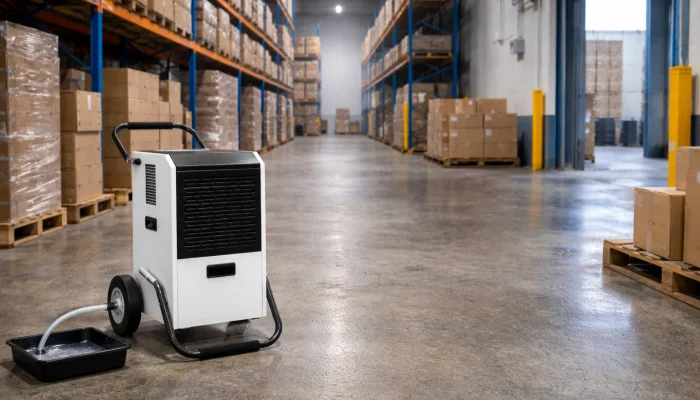
In large warehouses, high-rack areas, partitioned rooms, and poorly circulated corners, damp air may not move to the unit efficiently.
If warning signs appear first near loading doors, cartons, labels, or colder surfaces, the issue may be part of a wider warehouse humidity control problem rather than a fault inside one machine.
How to recognize it
- The area near the unit looks dry, but distant parts of the room still feel damp
- The same complaint keeps appearing in corners, behind racks, or near loading doors
- One part of the space improves while another does not
How to fix it
- Check whether problem areas are far from the unit
- Look for dead zones, blocked aisles, or isolated corners
- Review whether airflow is reaching the dampest part of the space
- Improve circulation before assuming the machine is undersized
Bring in technical support if
- The area near the unit looks dry, but distant parts of the room still stay damp
- The same problem keeps appearing in corners, behind racks, or near loading doors
- Airflow and placement appear to be limiting performance more than the unit itself
Drainage problems can hide real moisture removal
The unit may still be removing moisture, but condensate may not be leaving the system normally. Kinked hoses, clogged drain lines, poor slope, or blocked pump discharge can all create a “not collecting water” complaint even when the coil is still removing moisture.
Where the installation depends on lifted drainage rather than gravity drainage, an industrial dehumidifier with pump adds another set of checks around pump operation, hose routing, and discharge height.
How to recognize it
- The unit appears to run, but no water reaches the outlet
- The hose is kinked, sagging, or routed poorly
- The pump is powered, but water does not discharge correctly
- High-water or overflow behavior appears repeatedly
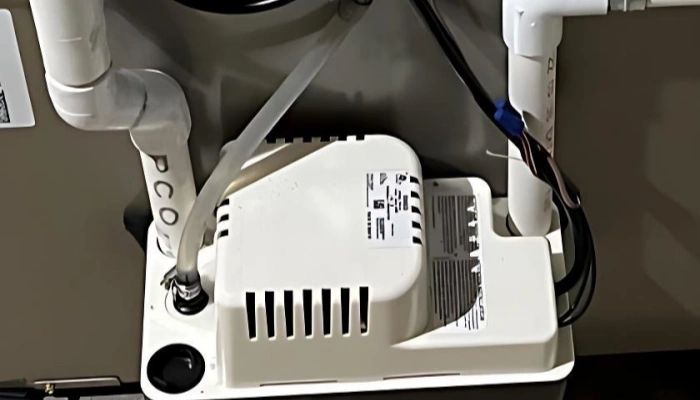
How to fix it
- Inspect the drain hose for kinks, clogs, or poor slope
- Straighten the hose and restore a continuous drainage path
- Clear the blockage and confirm that water can flow freely from the outlet
- Verify pump operation if the setup uses pumped drainage
- Check whether a float switch or high-water protection device has interrupted active dehumidification
- After correcting the drainage path, run the unit again and confirm whether condensate leaves the system normally
Bring in technical support if
- The drain hose is clear and properly sloped, but water still does not leave the system normally
- The pump is powered, but still does not discharge water as it should
- The high-water shutdown keeps coming back after the drain path has already been checked
- Drainage looks normal outside the unit, but water still does not appear at the outlet
| Symptom | Most likely direction | First action |
|---|---|---|
| No visible water at all | Set point, blocked drain, pump issue, compressor not engaging | Check RH, drain path, pump status, compressor call |
| Less water than before | Lower RH, dirty filter, airflow drop, higher moisture load | Check RH trend, filter, airflow, load change |
| Coil icing or frost | Low temperature, restricted airflow, deeper refrigeration issue | Check room temperature, filter, coil condition |
| Some drainage but high RH remains | Load or capacity mismatch | Review moisture sources and installed capacity |
If Basic Checks Do Not Explain It, Move to the Refrigeration Side
If room conditions, airflow, and drainage do not explain the problem, move next to the refrigeration side.
Coil Icing Is Usually a Symptom, Not the Root Cause
If the evaporator coil is icing up, the machine may still appear to run while actual water removal has already fallen off sharply. In most cases, icing is not the original cause. It is more often the result of low temperature, poor airflow, or another refrigeration problem.
How to recognize it
- The coil repeatedly frosts or ices
- The unit works again briefly after thawing, then loses performance again
- The same problem keeps coming back even after temporary improvement
How to fix it
- Confirm whether icing is present only occasionally or repeatedly
- Recheck filter condition, airflow, and room temperature
- Do not treat “ice gone” as “problem solved” if it comes back
- If room temperature is persistently low, review whether the application is outside the normal operating range of the unit
Bring in technical support if
- The coil keeps icing after room temperature, airflow, and filter condition have already been checked
- The unit works again briefly after defrosting, but the same problem returns
- Icing keeps coming back even though the room is not unusually cold
Refrigerant and compressor issues are more serious
If humidity is high enough to justify dehumidification, airflow is normal, drainage is clear, and the unit still is not removing water, the problem may be deeper. Refrigerant loss, compressor non-engagement, or other sealed-system faults can all produce this symptom.
How to recognize it
- The fan runs, but the cooling side does not seem to be working normally
- The unit runs for long periods with little or no moisture removal
- Basic room, airflow, and drainage checks do not explain the problem
How to fix it
- Confirm that the problem is not coming from RH, airflow, or drainage first
- Check whether the compressor is actually engaging
- Stop treating this as a routine on-site adjustment once the basic causes have already been ruled out
Bring in technical support if
- The compressor does not engage even though the unit is powered and being called to run
- The unit runs for a long time with little or no water output after RH, airflow, and drainage have already been checked
- The fan runs, but the cooling side still does not appear to be working normally
Do Not Ignore Controls and Sensors
In ducted installations, larger storage rooms, and projects tied into building controls, a powered display tells you less than it would on a simple stand-alone unit.
Wrong Humidity Readings Lead to Wrong Dehumidification Decisions
If the humidistat or humidity sensor reads low, the machine may stop dehumidifying even though the actual space is still too damp.
How to recognize it
- The display RH looks normal, but the room still feels damp
- Independent hygrometer readings do not match the control reading
- Different zones behave differently, but the control system does not respond
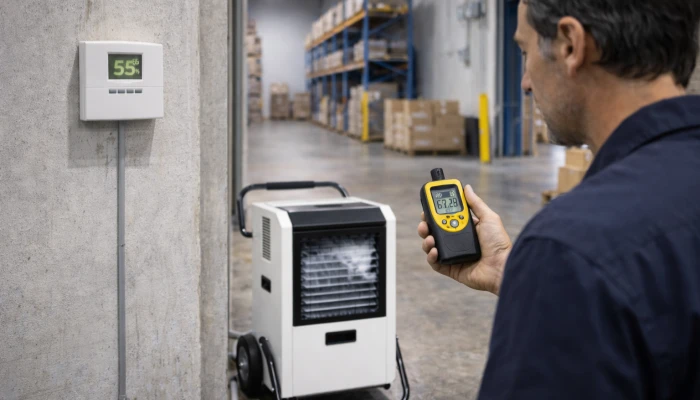
How to fix it
- Compare the display reading with an independent hygrometer
- Check whether the sensor location actually represents the room
- Look for drafts, cold surfaces, strong local airflow, or return-air shortcuts near the sensor
- If the sensor is influenced by a local condition, correct the placement or measurement basis before treating the unit itself as failed
Bring in technical support if
- The display RH is still very different from an independent hygrometer after repeated checks
- The room still feels damp, but the control system continues to show normal conditions
- The sensor location seems to be affected by drafts, cold surfaces, or local airflow and the unit is still not responding correctly
External Controls Can Make a Working Unit Look Faulty
In some projects, the dehumidifier follows instructions from a remote humidistat, building management system, or integrated air-handling logic. If that signal path is wrong, the unit can look online while active dehumidification is not being commanded.
How to recognize it
- The unit appears normal locally, but it does not respond to real room humidity conditions
- The problem started after changes in settings, control logic, or integration
- The machine looks online, but there is no clear sign that it is being told to dehumidify
How to fix it
- Confirm whether the machine is receiving a real dehumidification call
- Check whether external controls are overriding local operation
- Review whether the issue appeared after changes in settings or system integration
Bring in technical support if
- The unit looks normal locally, but it still does not respond to real room humidity conditions
- The problem started after changes in settings, control logic, or system integration
- The machine appears online, but there is no clear sign that it is being told to dehumidify
Know When This Is Not a Repair Issue
If the same complaint keeps returning after room conditions, airflow, drainage, and basic machine checks have already been reviewed, the issue may no longer be a simple repair question.
At that point, the next step is to stop repeating the same basic checks and review whether the installed unit still matches the actual space, operating temperature, and moisture load.
That is usually the point where what size industrial dehumidifier you actually need, or desiccant dehumidifier solutions for low-temperature humidity control become more relevant than another round of basic fault checking.
When Should You Call the Manufacturer or Technical Team?
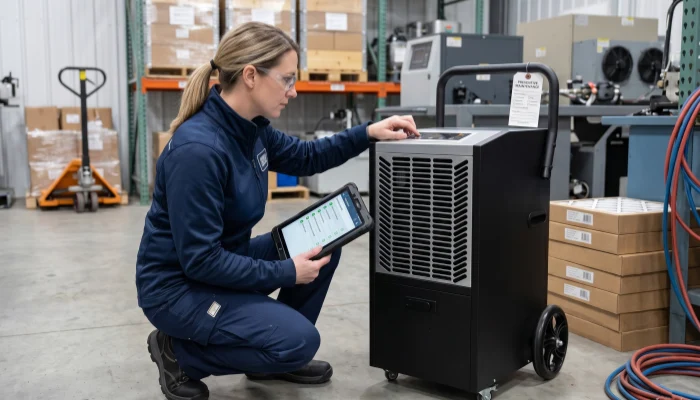
Start with the basics. Confirm real RH with an independent instrument. Check filters, coil condition, drain routing, pump behavior, and whether room temperature or moisture load has changed. Those are reasonable first checks for a facility team.
Move to technical support when the unit has recurring icing, suspected refrigerant loss, compressor non-engagement, repeated high-water shutdown behavior, or control symptoms that do not match the actual room condition. The same applies when the unit has never truly matched the application, because that usually points to a design-fit problem rather than a maintenance problem.
FAQ
How do I know if my dehumidifier is working?
Check whether room RH drops over time with a hygrometer, not just whether you see water. In colder or already-dry spaces, water output may be low even when the unit is working.
Can it be too cold for a dehumidifier to work?
Yes. Compressor dehumidifiers often lose effectiveness in colder rooms because moisture can freeze on the coils instead of draining as liquid water.
How long should it take for a dehumidifier to collect water?
A dehumidifier usually starts collecting water soon after it begins running, but visible accumulation depends on humidity, room size, and tank size. In many cases, noticeable collection takes several hours.
Why is my dehumidifier blowing cold air?
A slight cool-air sensation can be normal on compressor models because air passes over a cold coil first. If the air feels unusually cold and water collection drops, the unit may be icing or entering defrost mode.
Why is my dehumidifier coil freezing up?
The most common causes are low room temperature, restricted airflow, dirty filters, or a sensor problem. Frozen coils reduce airflow and stop normal water collection.