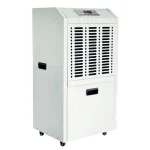
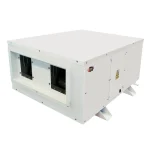
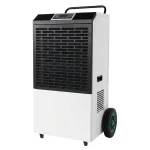
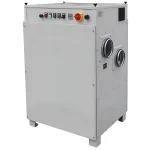
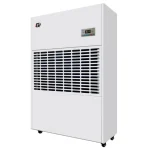
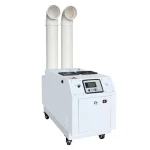
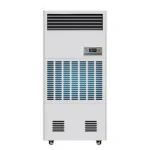
Maintaining proper humidity in a data center or server room is just as important as controlling temperature, yet it is often overlooked until problems appear.
In many facilities, the cooling system keeps equipment temperatures within range, but moisture levels fluctuate due to outdoor air, door openings, or insufficient latent capacity. This can lead to condensation on cold surfaces, damp cable areas, or repeated humidity alarms in specific zones such as UPS rooms or air intake areas.
A dedicated data center or server room dehumidifier should be considered when humidity rises repeatedly, the cooling system cannot remove enough moisture, or condensation risk remains.
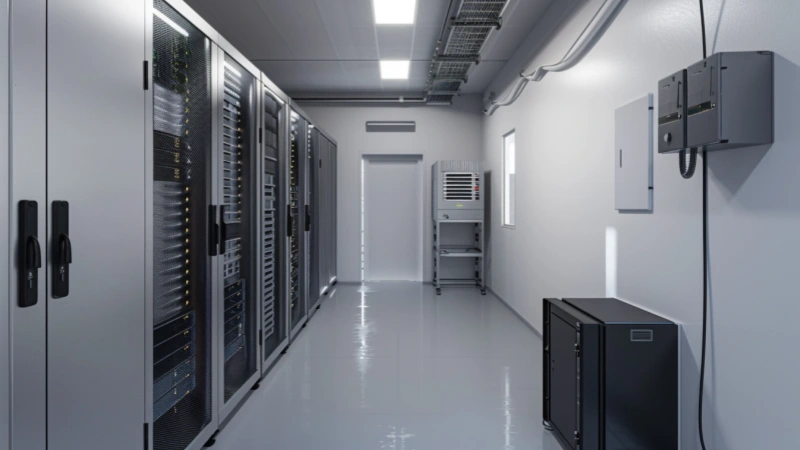
Where Is Dedicated Dehumidification Needed in a Data Center or Server Facility?
Not every room containing IT equipment needs a separate dehumidifier.
The first step is to identify which area has the moisture problem and whether the existing cooling and ventilation system can already control it.
Signs That Additional Moisture Control Is Needed
Dedicated dehumidification deserves further review when:
- RH or dew point rises repeatedly during humid weather.
- Temperature reaches setpoint before enough moisture is removed.
- Outdoor air enters through ventilation, doors, wall openings, or cable penetrations.
- Condensation appears near chilled-water or liquid-cooling components.
- One technical room remains humid while the main data hall is stable.
- The existing system repeatedly overcools and reheats the air.
- Moisture alarms occur whenever economizer or ventilation air is introduced.
- Conditions recover slowly after doors close.
- A local sensor appears normal while a colder or poorly ventilated zone remains damp.
Data Center Areas and Typical Dehumidification Approaches
| Data Center Area | Typical Moisture Problem | Check First | Likely Dehumidification Approach |
|---|---|---|---|
| Main data hall | High dew point or unstable humidity across the hall | CRAC/CRAH sequence, outdoor-air treatment, and sensor layout | Integrate moisture control with the central HVAC system |
| Outdoor-air intake | Dew point rises whenever ventilation or economizer air enters | Outdoor design condition and airflow volume | Pretreat the outdoor air before it reaches the data hall |
| Edge or modular data center | Frequent door opening and direct outdoor exposure | Infiltration, pressure, and limited HVAC moisture control | Standalone or compact ducted dehumidifier |
| Small server room | Split AC controls temperature but not humidity | Actual latent capacity of the cooling unit | Local refrigerant or ducted dehumidifier |
| MDF, IDF, or network room | High RH near an exterior wall or service entrance | Door seals, penetrations, and adjacent-space conditions | Seal leakage and add local moisture control if needed |
| UPS or electrical room | Humid ventilation air or damp surfaces | Air exchange rate and connection to the main HVAC system | Independent or ducted dehumidification |
| Cable or underground room | Seasonal dampness, wall moisture, or humid tunnel air | Waterproofing, drainage, and air leakage | Correct liquid-water entry, then control the remaining vapor load |
| Post-leak area | Wet materials and rapidly rising dew point | Confirm that the active leak has stopped | Temporary drying rather than permanent operating capacity |
Battery rooms require a separate safety review because ventilation, gas detection, electrical requirements, and battery chemistry may take priority over humidity control.
A dehumidifier removes water vapor. It does not repair a roof leak, replace failed insulation, stop groundwater penetration, or seal an uncontrolled opening.
What Humidity and Dew Point Should a Data Center or Server Room Maintain?
There is no universal rule that every server room should be maintained at 45% RH.
The target condition depends on:
- IT equipment class
- Room and inlet-air temperature
- Coldest exposed surface temperature
- Equipment manufacturer requirements
- Contamination and corrosion risk
- ESD-control procedures
- Sensor location and accuracy
Use the Recommended Envelope as the Normal Operating Target
ASHRAE separates recommended conditions from allowable conditions.
The recommended envelope is the normal design and operating target. The allowable envelope represents broader conditions in which qualifying equipment may operate, but it should not automatically become the permanent setpoint.
For air-cooled Classes A1 through A4, the current ASHRAE TC 9.9 reference card lists:
- Recommended inlet temperature: 18°C to 27°C
- Recommended lower moisture limit: −9°C dew point
- Recommended upper moisture limit: 15°C dew point
The upper RH condition depends on measured silver and copper corrosion levels.
Do not use 70% RH as a default data center or server room setpoint. That expanded upper boundary applies only under defined corrosion conditions and does not replace manufacturer requirements or a project-specific operating target.
The selected condition should leave enough margin between the room dew point and the coldest exposed surface. It should also avoid an unnecessarily narrow control band that causes humidification, cooling, and dehumidification systems to cycle against each other.
Why Dew Point Matters More Than a Single RH Reading
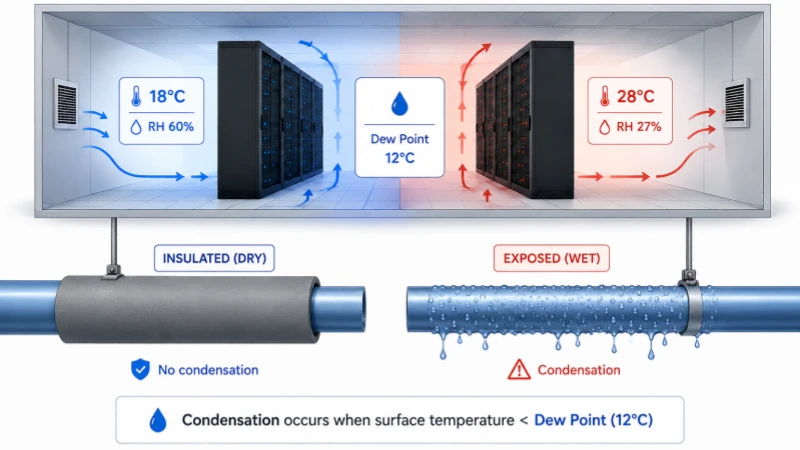
Relative humidity changes when temperature changes.
Air containing the same amount of water vapor can show higher RH in a cold aisle and lower RH in a warm return-air zone. The actual moisture content has not necessarily changed.
Dew point gives a more stable indication of the amount of water vapor in the air. ASHRAE’s data center environmental guidance notes that dew point remains relatively consistent across a room while RH can vary with local temperature.
Condensation becomes possible when a surface temperature falls below the surrounding dew point.
For example:
- Room dew point: 14°C
- Properly insulated pipe surface: 17°C
- Immediate condensation risk: low
If damaged insulation exposes a pipe surface at 10°C, the surface may begin to sweat because it is colder than the room dew point.
Lowering room moisture can reduce the risk, but it does not replace repairing insulation, removing a cold bridge, or reviewing coolant temperature.
Three common patterns help explain what the readings mean:
- RH rises while dew point remains stable: the local air probably became colder.
- Dew point rises across several sensors: additional moisture is entering the facility.
- Average RH looks normal while one surface sweats: the local surface is colder than the room-average condition suggests.
Where Does Moisture Enter a Data Center or Server Room?
Servers produce sensible heat. They are not normally the main source of water vapor.
Moisture usually enters with outdoor air, moves from an adjacent space, or evaporates from wet building materials.
Humid Outdoor Air and Economizer Operation
Outdoor air may enter through:
- Mechanical ventilation
- Economizer operation
- Open service doors
- Damaged door seals
- Cable and wall penetrations
- Service ducts
- Negative room pressure
- Loading or maintenance areas
Even a relatively small airflow can create a large continuous moisture load when the outdoor humidity ratio is high.
Where ventilation or economizer air is the dominant source, treating the air before it enters the data hall is often more effective than placing a standalone unit in the middle of the room.
Door Opening and Edge-Site Infiltration
Edge and modular data centers are often located closer to exterior conditions and may experience frequent maintenance access.
A rapid dew-point rise after a door-opening event may indicate:
- Damaged seals
- Excessive opening duration
- Negative room pressure
- No vestibule or airlock
- Insufficient moisture-removal capacity
The first actions may include sealing leakage, adjusting room pressure, reducing opening time, or adding a vestibule. The dehumidifier should then be sized for the moisture load that remains.
Adjacent and Underground Technical Spaces
A server room beside a warehouse, production area, basement corridor, cable tunnel, or utility space may receive moisture whenever doors open or pressure changes.
Measure conditions on both sides of the boundary. A normal reading in the middle of the server room does not show how much moisture is entering through a wall opening or cable penetration.
Underground areas also require checks for:
- Damp concrete
- Wall seepage
- Groundwater pressure
- Failed waterproofing
- Poor drainage
- Humid service tunnels
Where liquid water is present, repair the building problem before using a dehumidifier as a permanent compensating measure.
Temporary Moisture From Construction, Cleaning, or Leaks
Concrete, floor coatings, wet insulation, recently painted surfaces, and cleaning water may release moisture for hours or days.
Temporary drying may be required during commissioning or after repair work, but that short-term load should not automatically determine the capacity of the permanent dehumidification system.
Hidden moisture may remain:
- Below raised floors
- Inside wall cavities
- Behind insulation
- Around cable penetrations
- Beneath floor finishes
Track dew point and inspect the affected materials instead of ending recovery as soon as the visible floor appears dry.
Which Type of Dehumidifier Fits a Data Center or Server Room?
The correct technology depends on:
- Room temperature
- Target dew point
- Moisture load
- Airflow arrangement
- Outdoor-air volume
- Drainage
- Control requirements
- Heat added to the room
The practical differences between refrigerant and desiccant dehumidifiers become meaningful only when the equipment is compared at the actual project condition.
When a Refrigerant Dehumidifier Fits
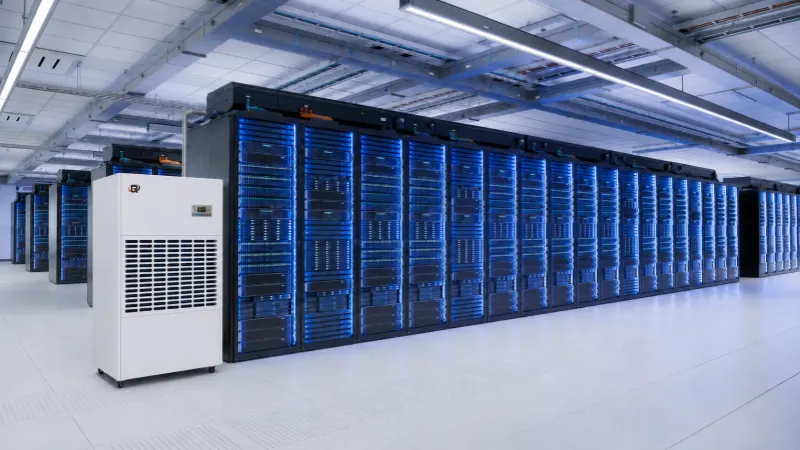
A refrigerant dehumidifier cools air below its dew point, condenses water, and returns drier air.
It is often suitable for:
- Warm server rooms
- Edge computing rooms
- Telecom and network rooms
- UPS and electrical spaces
- Moderate or high moisture loads
- Applications without a very low dew-point target
Its capacity normally decreases as entering air becomes cooler or drier.
A standalone refrigerant unit also adds sensible heat to the room. Compressor power and the heat released during condensation return to the airstream.
Confirm:
- Capacity at the actual room temperature and RH
- Heat added to the space
- Whether the cooling system can remove that heat
- Condensate drainage
- Partial-load control
- Alarm and communication requirements
Where combined temperature and moisture control is required within one packaged system, a temperature-resistant dehumidifier may be more appropriate than adding an independent room unit.
When a Desiccant Dehumidifier Fits
A desiccant dehumidifier transfers moisture to a drying material and removes it through a regeneration airstream.
It may be more suitable when:
- The room operates at a lower temperature.
- A lower dew point is required.
- Humid outdoor air requires pretreatment.
- Refrigerant performance becomes limited.
- The process requires stable low-moisture air across changing loads.
Desiccant process air is warmer unless post-cooling is provided.
The project must account for:
- Regeneration energy
- Process-air temperature
- Regeneration or exhaust airflow
- Ducting
- Heat rejection
- Post-cooling
- Control integration
When to Use a Ducted or HVAC-Integrated System
A ducted or integrated system may fit when:
- The main data hall requires coordinated central humidity control.
- Outdoor ventilation air needs pretreatment.
- One unit serves several technical rooms.
- Dry air must reach a specific risk zone.
- A floor-standing unit would disturb rack airflow.
- Heat needs to be managed outside the controlled room.
- Central alarms and interlocks are required.
A shared system can serve several spaces only when airflow, pressure, sensor authority, and control priority are designed for each zone.
A free-standing unit in one closed room should not be expected to control adjacent spaces.
When a Portable Dehumidifier Is Appropriate
Portable equipment may be suitable for:
- Commissioning
- Short-term seasonal problems
- Post-leak drying
- A small noncritical technical room
Leaving a portable unit in an unattended server room requires:
- Continuous drainage
- Pump-failure alarm where applicable
- High-water shutdown
- Automatic restart
- Remote fault output
- Suitable electrical protection
- Capacity at the actual room condition
A household unit that stops when a small collection bucket fills is not a reliable permanent solution for a critical space.
Do Not Compare Dehumidifiers by L/Day Alone
| Solution | Best Fit | Main Limitation | Heat Effect | Check Before Selection |
|---|---|---|---|---|
| Standalone refrigerant | Warm server rooms and local technical spaces | Lower output in cooler or drier air | Usually adds heat directly to the room | Actual-condition capacity and cooling impact |
| Ducted refrigerant | Controlled distribution and multiple zones | More installation work | Heat can be managed through the system design | Supply, return, drainage, and heat rejection |
| Desiccant | Lower temperature, lower dew point, or outdoor-air treatment | Regeneration energy | Process air is warmer unless post-cooled | Dew point, regeneration source, and post-cooling |
| HVAC-integrated | Main data halls and central outdoor-air treatment | Control complexity | Depends on system arrangement | BMS sequence, interlocks, and total HVAC load |
| Portable | Temporary drying or noncritical rooms | Limited alarms and distribution | Usually adds heat locally | Drainage and unattended-operation features |
How Much Dehumidification Capacity Is Required?
Room size is only one input.
Two rooms with identical dimensions can need very different capacities if one is sealed inside a conditioned office and the other opens into a humid loading area.
Estimate the Moisture Load Before Comparing Models
Required capacity is mainly affected by:
- Mechanical outdoor-air volume
- Uncontrolled infiltration
- Door-opening frequency
- Difference between incoming and target moisture levels
- Moisture released from wet materials
- Required recovery time
A complete industrial dehumidifier sizing method should also account for actual rating conditions, equipment heat output, peak events, partial-load behaviour, and a suitable allowance.
Check Capacity at the Actual Room Condition
Before accepting a capacity claim, confirm:
- Entering-air temperature
- Entering-air RH
- Moisture-removal output at that condition
- Defrost behaviour
- Sensible heat added to the room
- Airflow
- Available external static pressure
- Test data supporting the rating
A unit rated at 100 L/day under warm, humid test conditions may remove much less water inside a cooler server room.
Avoid Oversizing and Decide Whether Redundancy Is Needed
An undersized unit may run continuously without reaching the target.
A severely oversized fixed-capacity unit may satisfy the nearest sensor too quickly, short-cycle, and leave remote areas humid. These over- and undersizing problems can increase wear and destabilize the control sequence.
Where the moisture load changes significantly, consider:
- Staged capacity
- Modulating control
- Lead-lag operation
- Several smaller units serving separate zones
Redundancy becomes more reasonable when:
- The space is unattended.
- Moisture control is mission-critical.
- Repair support is slow.
- Outdoor moisture enters continuously.
- Maintenance must occur without losing control.
How Should the Dehumidifier Be Installed and Controlled?
Correct capacity cannot compensate for poor air distribution, unsafe drainage, or conflicting controls.
Place the Unit Without Disturbing Rack Cooling
The unit should sample representative room air and distribute dry air without disrupting the designed cooling path.
Avoid:
- Blowing directly into server exhaust
- Pulling air away from a cold aisle
- Returning dry air directly to the unit inlet
- Blocking rack or electrical-panel access
- Servicing the unit above live equipment
- Installing it beneath a known leak risk
- Routing condensate above servers or power equipment
For ducted systems, define the supply and return locations. Dry air delivered to the wrong part of the room may satisfy the unit sensor while leaving the actual moisture source untreated.
Install Sensors Near the Areas Most Likely to Change
A sensor inside the dehumidifier may not represent conditions behind racks, beside an exterior door, near an outdoor-air intake, or next to a cold pipe.
Useful locations include:
- IT equipment air inlets
- Return-air paths
- Outdoor-air entry zones
- Exterior doors
- Cable penetrations
- Underground or exterior walls
- Chilled-water and liquid-cooling connections
- UPS and electrical rooms
- Previous condensation locations
Avoid relying only on a sensor in a supply-air jet, above a drain pan, or against a cold wall.
Plan Safe Condensate Drainage and Leak Protection
A refrigerant dehumidifier converts water vapor into liquid water.
A suitable drainage arrangement may include:
- Continuous gravity drain
- Correct pipe slope
- Drain trap where required
- Condensate pump with failure alarm
- Secondary drain pan
- High-water shutdown
- Leak-detection sensor
- Accessible cleanout
- Drain routing away from IT equipment
Test the drain, pump, alarm, and shutdown during commissioning. A connected hose does not confirm that water can discharge safely under all conditions.
Coordinate the Dehumidifier With the Existing HVAC System
The control sequence should define:
- RH or dew-point setpoint
- Deadband
- Authoritative sensor
- High- and low-humidity alarms
- Drain and pump alarms
- Automatic restart after power loss
- Remote enable and disable
- Common fault output
- BMS or DCIM communication
- Lead-lag logic
- Response when sensors disagree
A narrow deadband can cause rapid cycling. Two systems using different sensors may alternately dehumidify and humidify the space.
Filters, coils, sensors, drains, alarms, and airflow should be included in the site’s industrial dehumidifier maintenance checklist.
What Information Is Needed for an Accurate Selection?
A reliable proposal requires more than room area and a target RH.
| Information Group | Details to Prepare | Why It Matters |
|---|---|---|
| Controlled area | Main data hall, edge room, server room, UPS room, cable room, or outdoor-air intake | Determines the system arrangement |
| Room conditions | Dimensions, current temperature and RH, target RH or dew point | Defines the required environment |
| Outdoor conditions | Design temperature, humidity, and outdoor-air volume | Determines incoming moisture load |
| Moisture sources | Doors, penetrations, adjacent spaces, ventilation, and wet materials | Separates continuous and temporary loads |
| Existing HVAC | CRAC, CRAH, split AC, economizer, ventilation, and current controls | Identifies control gaps and conflicts |
| Cold surfaces | Pipe, coolant, fitting, coil, and diffuser temperatures | Defines condensation margin |
| Installation | Available space, duct route, drainage, and electrical supply | Determines equipment format |
| Heat impact | Existing cooling capacity and acceptable additional heat load | Confirms whether unit heat can be removed |
| Monitoring | Sensor locations, alarms, BMS/DCIM protocol, and auto restart | Defines unattended-operation capability |
| Performance | Recovery time, actual-condition capacity, airflow, and noise limit | Allows quotations to be compared correctly |
| Reliability | Redundancy, service access, spare parts, and maintenance plan | Defines the required system arrangement |
| Special risks | Battery rooms, contaminants, gas risk, or electrical classification | Prevents an unsuitable installation |
A supplier should identify missing information rather than selecting a model from room area alone.
With these inputs, the project team can:
- Identify the main moisture source.
- Decide whether moisture should be controlled locally or at the outdoor-air system.
- Estimate the required removal load.
- Check whether the existing cooling system can handle the added heat.
- Compare refrigerant, desiccant, standalone, ducted, and integrated solutions.
- Define drainage, sensors, alarms, and control integration.
- Verify capacity at the actual operating condition.
Send Rinwang the controlled area, room temperature, current RH, target dew point or RH, outdoor-air volume, door-opening pattern, cold-surface temperatures, drainage conditions, and existing HVAC information.
Based on those inputs, Rinwang can review the moisture source, estimate the required removal load, and recommend an industrial dehumidifier configuration with capacity, airflow, drainage, controls, and heat impact matched to the data center or server room conditions.
Frequently Asked Questions
What happens if the humidity is too low in a data center?
Low humidity increases electrostatic-discharge risk during maintenance or equipment handling. Control should combine an appropriate moisture limit with grounding and ESD procedures.
Do all data centers follow ASHRAE?
No. Many use ASHRAE as a design baseline, but final operating limits depend on equipment specifications, facility design, risk tolerance, and local requirements.
Can tropical countries follow these standards?
Yes. ASHRAE targets remain applicable, but tropical facilities may require stronger outdoor-air pretreatment, tighter infiltration control, and greater dehumidification capacity.
Should a dehumidifier run all the time?
Not necessarily. It should remain available continuously but cycle according to dew point or RH demand; nonstop moisture removal may indicate undersizing or uncontrolled infiltration.
Can a dehumidifier replace an air conditioner?
No. A dehumidifier removes moisture and usually adds heat, while air conditioning removes the server room’s sensible heat load; both systems may need coordinated operation.